
Resources Page – Arduino Nano
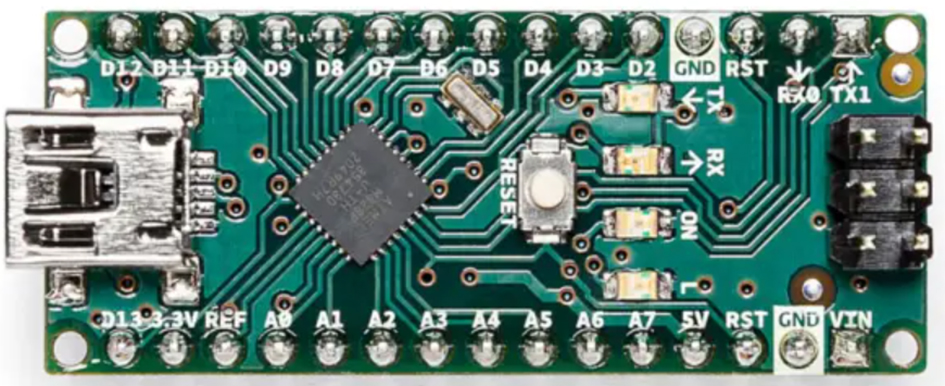
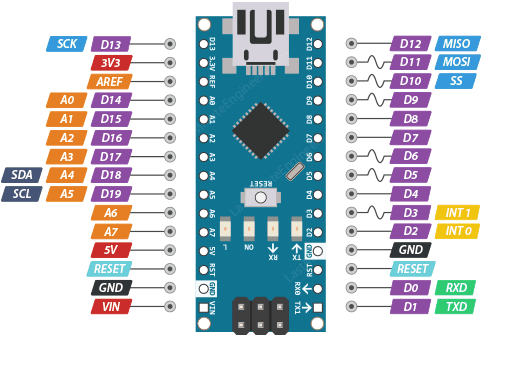
Arduino Nano pin-outs
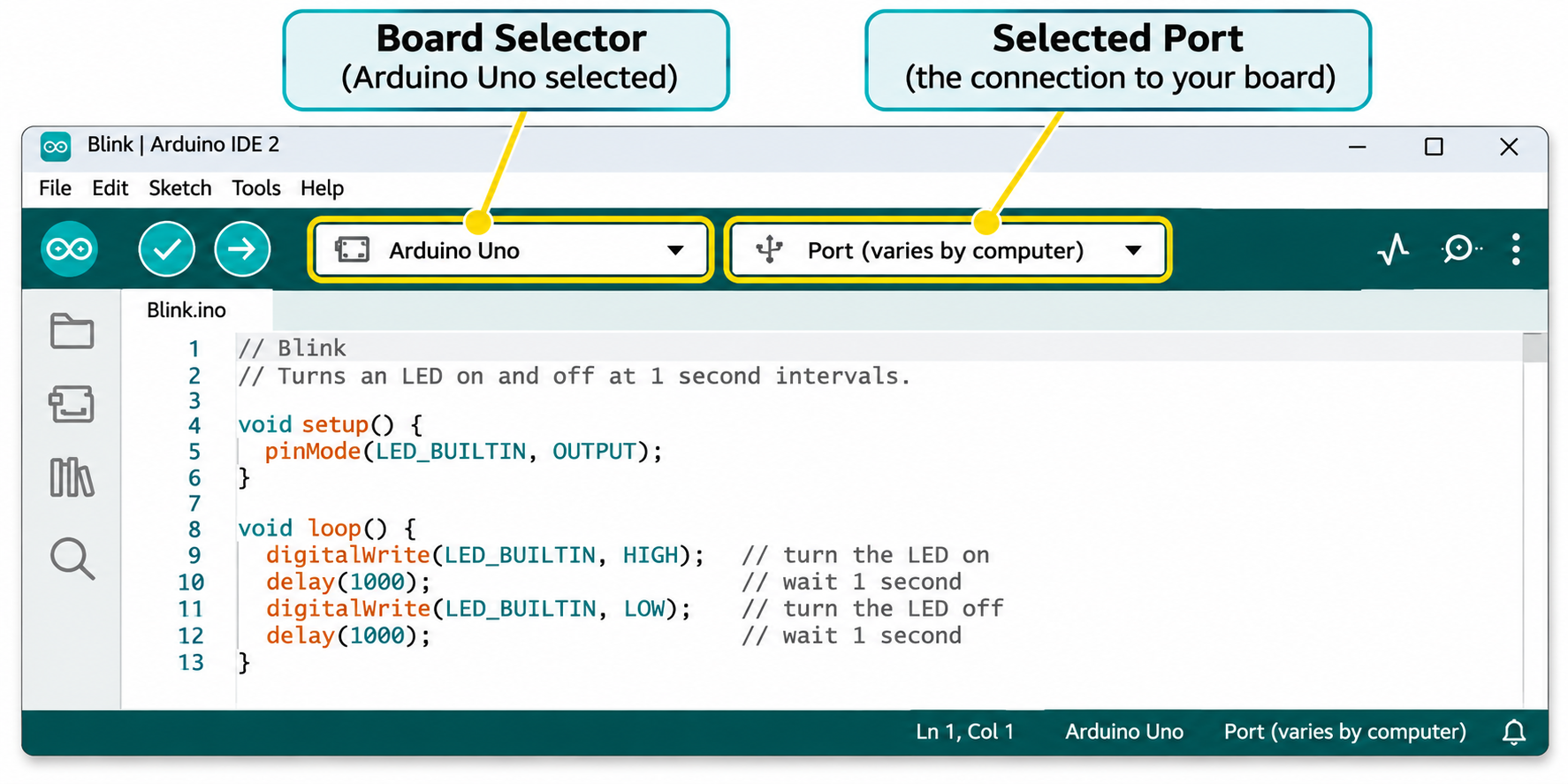
The IDE Interface
IDE Download
The latest Arduino IDE can be downloaded from the Arduino website here.
Driver Download
Some Arduino Nano-compatible boards may also need a USB serial driver before your computer can communicate with them.
The driver allows your computer to recognise the Arduino when it is connected using the USB cable. Without the correct driver, the Arduino IDE may not be able to find your board or upload your programs.
You can download the CH341 driver here : Download.
To install, run on your PC/other device using Admin permissions:
- Open the downloaded file and follow the installation instructions. You may need to unzip the file first.
- Once installation is complete, disconnect and reconnect your Arduino Nano using the USB cable.
- Open the Arduino IDE and check that your board appears in the board and port selector.
- Select the correct board and port. You’re now ready to upload your first program!
TOP TIP: If your Arduino isn’t showing up in the IDE, try a different USB port or check that you’re using a USB data cable rather than a charging-only cable.
.ino Downloads
First Steps in Arduino Kit
Circuit 1 : External LED Blink:
void setup() {
  pinMode(8, OUTPUT);
}

void loop() {
  digitalWrite(8, HIGH);
  delay(1000);
  digitalWrite(8, LOW);
  delay(1000);
}
Circuit 2 : Traffic Lights
void setup() {
  pinMode(8, OUTPUT); // Red LED
  pinMode(9, OUTPUT); // Yellow LED
  pinMode(10, OUTPUT); // Green LED
}

void loop() {
  digitalWrite(8, HIGH); // Red on
  delay(5000); // Wait 5 seconds
  digitalWrite(8, LOW); // Red off
  digitalWrite(9, HIGH); // Yellow on
  delay(2000); // Wait 2 seconds
  digitalWrite(9, LOW); // Yellow off
  digitalWrite(10, HIGH); // Green on
  delay(5000); // Wait 5 seconds
  digitalWrite(10, LOW); // Green off
}
Circuit 3: LDR controlled multicolour LED
int ldrPin = A0;
int redPin = 8;
int greenPin = 9;
int bluePin = 10;

void setup() {
  pinMode(redPin, OUTPUT);
  pinMode(greenPin, OUTPUT);
  pinMode(bluePin, OUTPUT);
}

void loop() {
  int lightLevel = analogRead(ldrPin);
  int redValue = map(lightLevel, 0, 1023, 0, 255);
  int greenValue = 255 - redValue;
  int blueValue = (redValue + greenValue) / 2;

  analogWrite(redPin, redValue);
  analogWrite(greenPin, greenValue);
  analogWrite(bluePin, blueValue);

  delay(100);
}